
By very, very popular demand we just rolled out a private tagging option in Twitalyzer Tags (which you need to Sign in with Twitter to use, of course!) Now, when you go to tag a person, you’ll see a checkbox that says “Private.” When you check that box, the tag will be added to the person, and nobody but you will know!
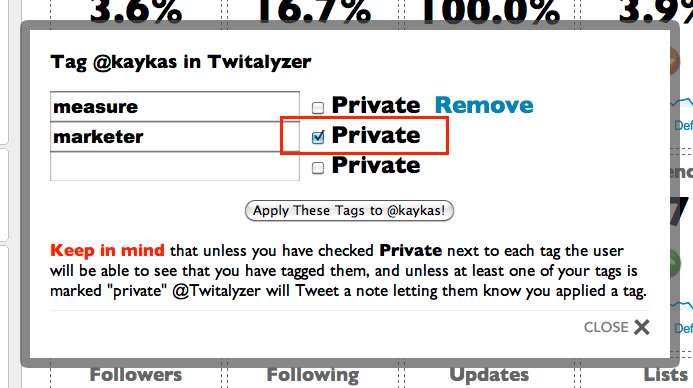
Sneaky, huh? We don’t even send an auto-Tweet about the tagging when you’re using private tags (since that would kind of defeat the purpose, right?)
Like we said, we applied this “marketer” tag to our pal @kaykas and when you go to his profile that tag will simply not appear, at least not as associated with us! But, when you go to your Twitalyzer Dashboard > Tagged report you will see this “marketer” tag followed by an asterisk (“*”) telling you the tag is “private” and you’ll be able to track all the folks you’ve labeled as such!

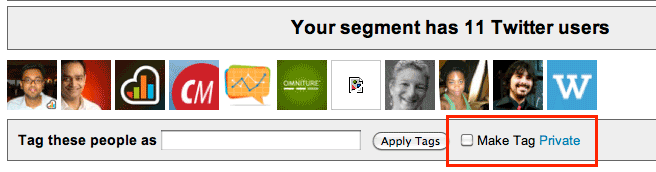
Brilliant, huh? Even better is that you can use the Twitalyzer Dashboard > Segments tool to apply “private” tags en masse now simply by clicking that same “Private” checkbox:
And there you have it! We welcome your feedback on this feature and please let us know if you find any bugs or glitches.
 Recent Tweets