Those of you paying attention have likely noticed that we are starting to leak version 5.0 BETA reports and functionality into Twitalyzer. Two items of note are the ability to save any report for easy access and our expanded “Community Analysis” reports.
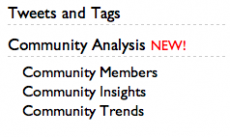 You’ll find the community reports under “Tweets and Tags” in the navigation menu. We’ve gone ahead and created an entire category for these reports — essentially all things having to do with hashtags (which we think of as “communities” in Twitter) — since we will be adding even more functionality and reports over the coming months.
All three of these reports start with a high-level view of the communities each of your tracked accounts participates in:
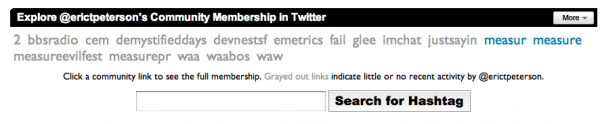 The grayed out links show you which communities you have participated in sometime in the past but are not currently active in. The blue links are those communities you have contributed to in the past seven days. Clicking on any of these links will activate the report, or you can search for any “hashtag” (e.g., community) that you might be interested in.
The Community Member report details the key Twitalyzer metrics for each Twitter user participating in that community that is currently being tracked by Twitalyzer. That last point is important — we don’t know everyone — but you will notice at the bottom of each community report we are including information about those people we do not know so you can add them in for processing.
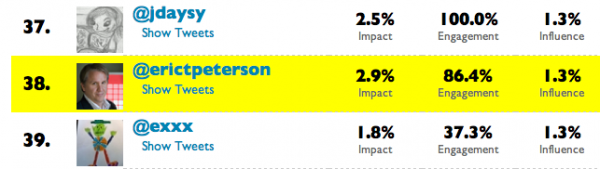
The Community Insight report (previously just called “Community”) goes much deeper than the membership report, detailing a number of new metrics about recent community participation.
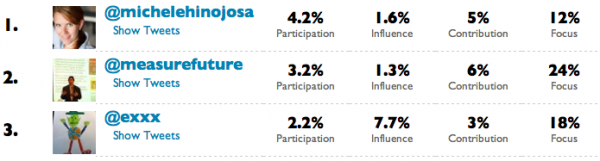
In the Insight report you will find four new metrics — Participation, Influence, Contribution, and Focus — providing great additional detail about recent activity in the community. Want to know who is the most active member in your community? Look to Participation! Want to know who has the most influence, or who contributes the most original content (e.g., not retweets)? See Influence and Contribution. Finally, Focus is a measure of the relative number of that individual’s tweets that are “in community” — for example, 18% of our friend @Exxx’s tweets last week were posted to the #measure community.
Going deeper still, the Community Trends reports will detail levels of activity over the past seven days for any community you are part of. We highlight both number of participants and total tweet volume.
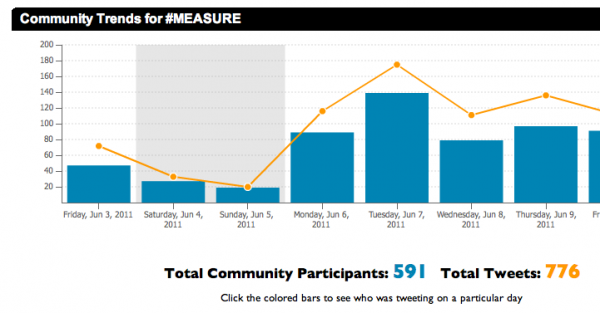 When you click on any individual day (bar or data point) you will be shown each person we are tracking that was participating in that community on the given day.
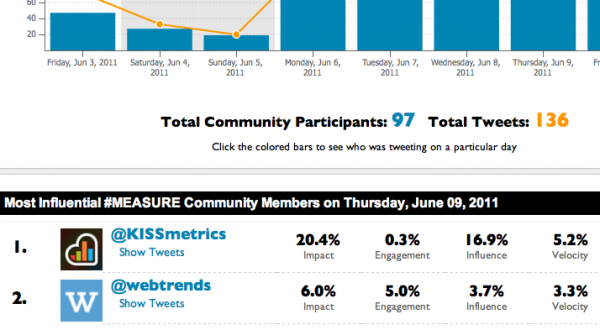
So now, all of the brands and agencies of the world who are running community-based marketing campaigns have immediate access to participation volumes and a complete list of participants, all for as little as $4.99 per month.
How cool is that?
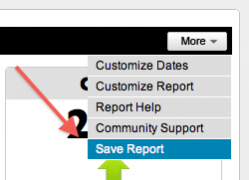 While slightly less involved than our community reports, we are also happy to release our “Saved Reports” functionality into the wild. Now, under the “More” button on every report, you have a “Save Report” link. Clicking that link will give you an option to save the report by providing a name and, optionally, a brief description of the report.
This works for any report you can configure! The “Find New” reports, so that you can save your criteria for exploration; all of the various “Trends” reports we provide, so that you don’t have to re-select metrics and timeframes; and any other report we provide today.
To access your saved reports simply click the link in the navigation menu on the left of the page and a pop-up will appear listing each report you’ve created by the account it is associated with.
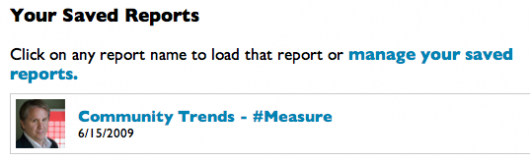
It is that simple. Awesome, huh?
Anyway, these are just a few of the updates we have in the hopper for version 5.0 that we wanted to get out sooner than later. We have a lot of other stuff planned including better multi-account functionality, better Export and data-access options, and a handful of new reports that we have been working on for months.
So watch this space …
 Recent Tweets